OBS Guides
Visual walkthroughs for connecting and configuring OBS with Studio.
Follow these animated guides to set up OBS Studio integration with WeConnect Studio for live streaming overlays.
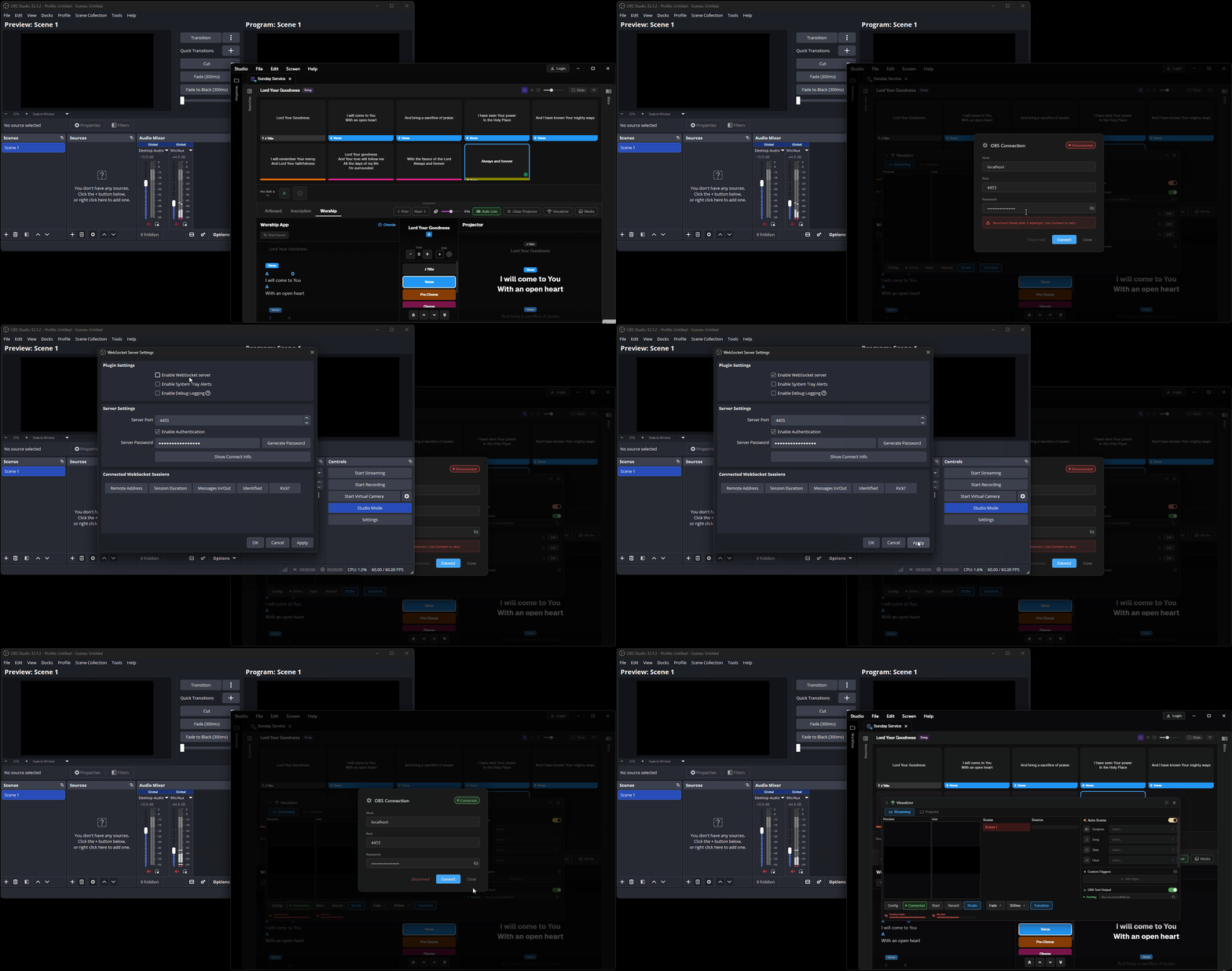
1. Connect Studio to OBS
Establish the WebSocket connection between WeConnect Studio and OBS Studio. Once connected, you can control OBS text sources, image sources, and scenes directly from Studio.
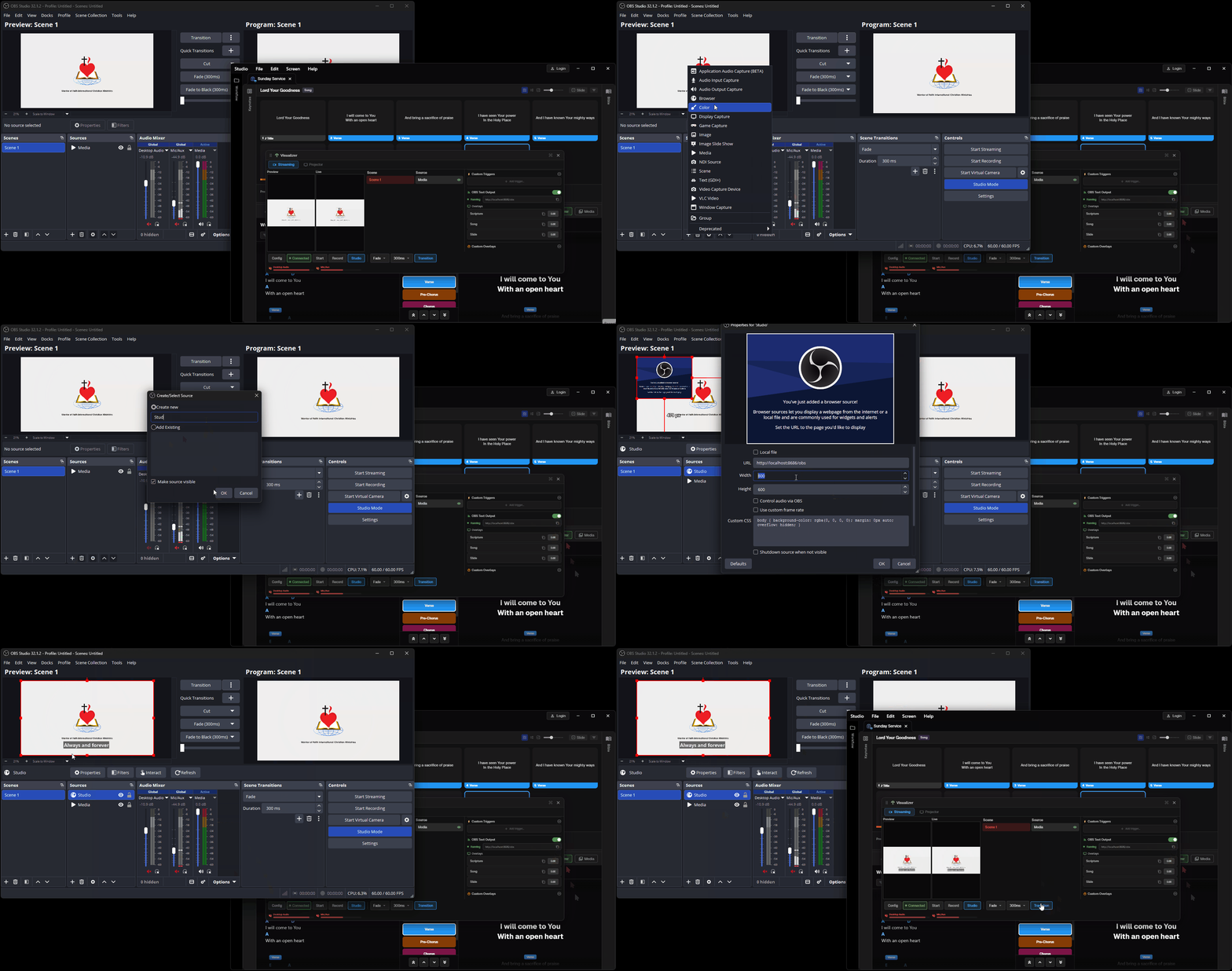
2. Connect Overlays
Configure overlay elements in OBS to receive live text from Studio. Map your OBS text sources to Studio outputs for lyrics, Bible verses, announcements, and lower-thirds.